Tipping, healthcare benefit cards & Dashboard scheduled transfers
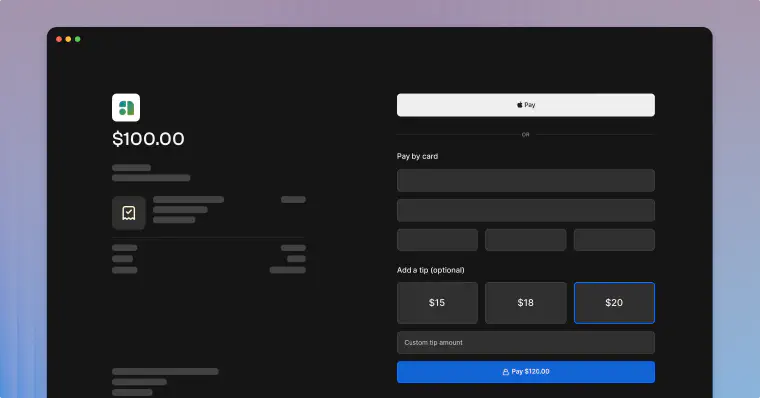
Tipping
Moov now supports tipping for payment links and transfers. Use Moov's API or Dashboard to create tipping presets for the checkout process. Tipping presets can be fixed amounts, or percentages of the total on a pre or post-tax basis.
Presets must be enabled per Moov account. In the Dashboard, enable tipping and set up presets in your account's business details settings or a merchant's account settings.
The API has three new transfer configuration endpoints which allow you to create, update, and view tip presets for an account.
See the following documentation for more information:
- Enable tipping via API
- Payment link tipping via API
- Payment link tipping via Dashboard
Tipping demo
Healthcare benefit cards
Moov now supports processing HSA, FSA, and HRA cards for Healthcare merchant category codes (MCCs) and 90% rule merchants on the Visa and Mastercard networks.
Visit our documentation for specific information on accepted MCCs and 90% rule merchants, rules, regulations, and registration details.
Create schedules in the Dashboard
You can now create scheduled transfers and recurring transfers in the Dashboard. Select a future date for a single transfer, or create a recurring transfer on a daily, weekly, monthly, or yearly schedule.
Moov's Dashboard also supports viewing and cancelling schedules as well as sending receipts. Visit our documentation for more information.
Bug fixes
- Added a missing Subtotal and Tax row to the hosted checkout flow