Self-serve ACH R29 returns
Verifying a bank account or a debit attempt may result in an ACH return code R29 "corporate customer advises not authorized", causing bank accounts to become errored. Approved accounts can use the attestation endpoints (supported on Moov API v2026.10.00 and higher) to reset the bank account back to a verified status by attesting the end user has reauthorized debits. See ACH returns for every return code and how Moov handles it.
R29 ACH return code a second time within that timeframe, you must contact Moov support.
Resolve in the Dashboard
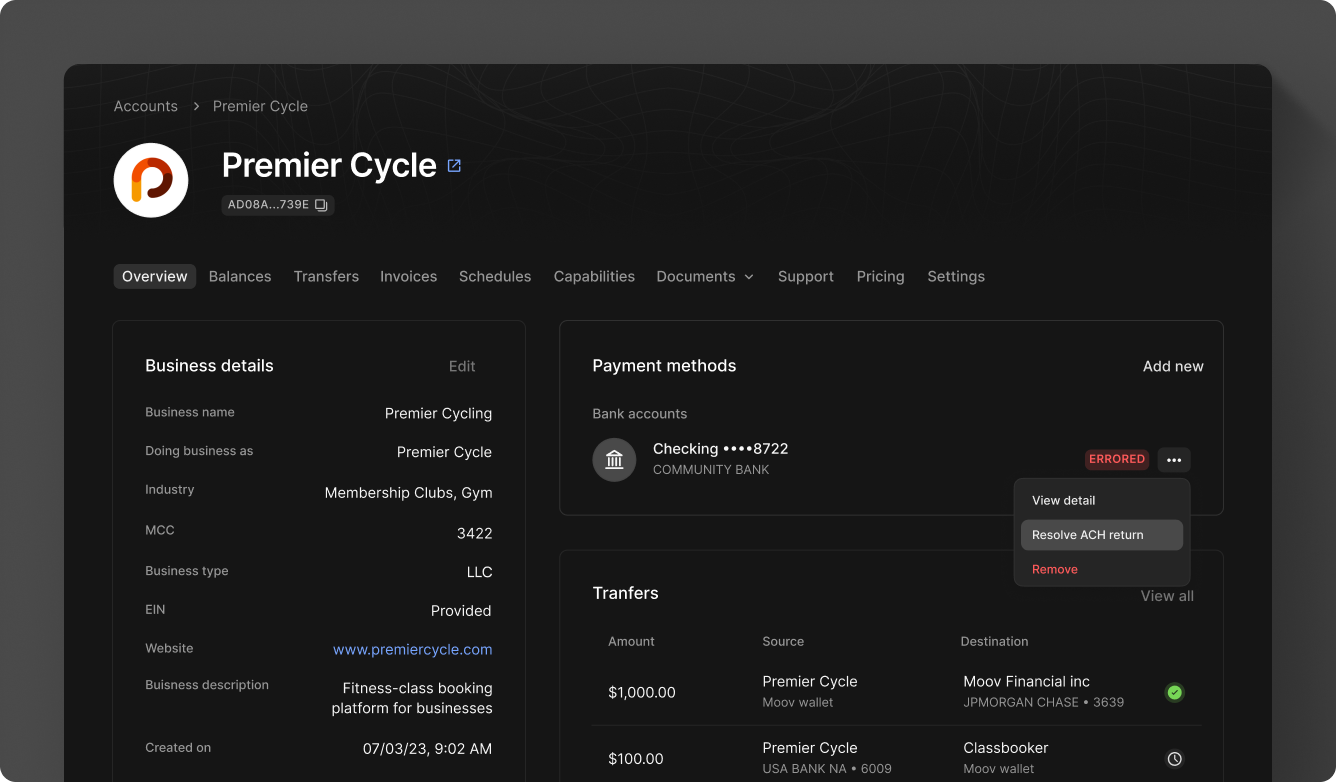
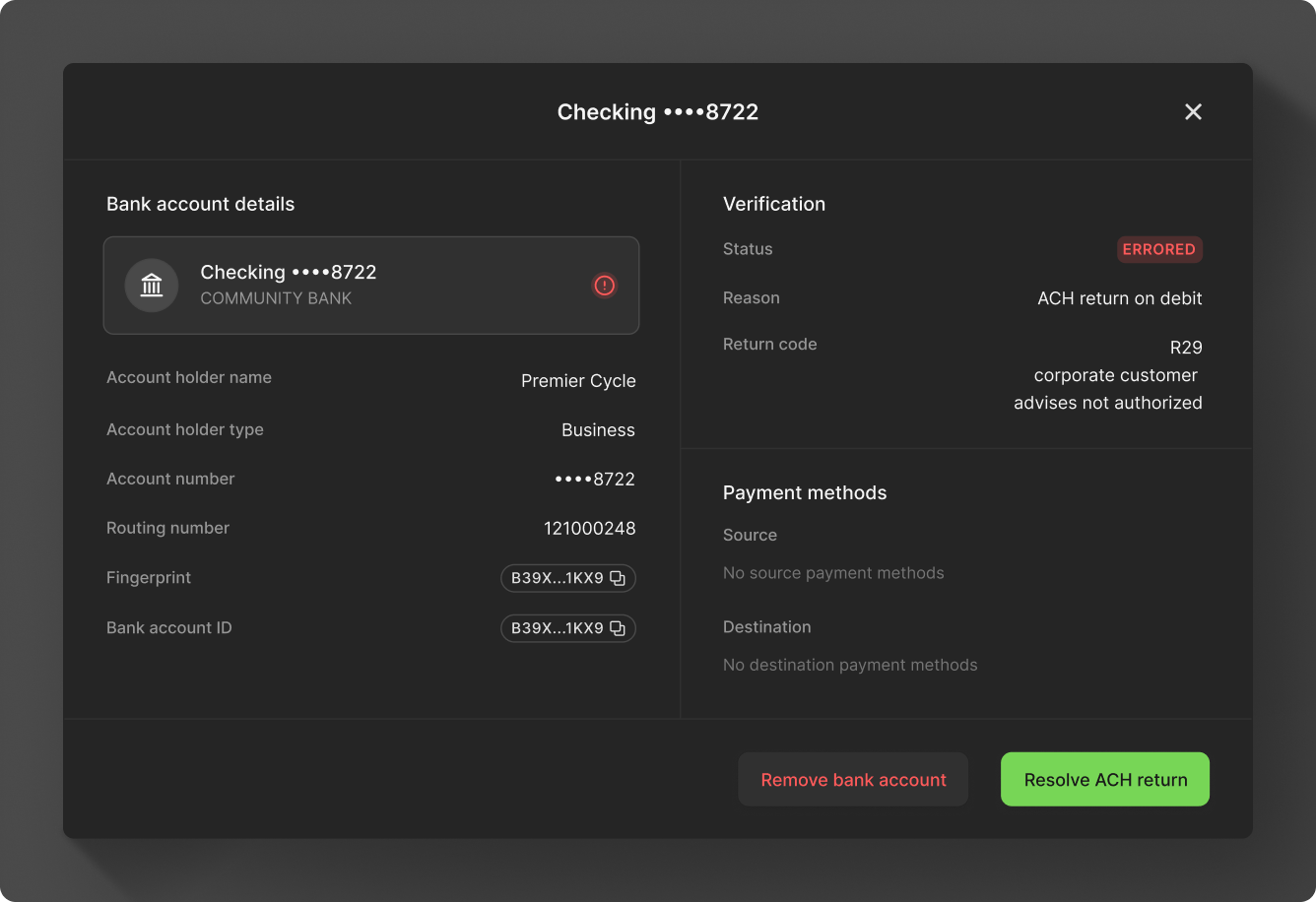
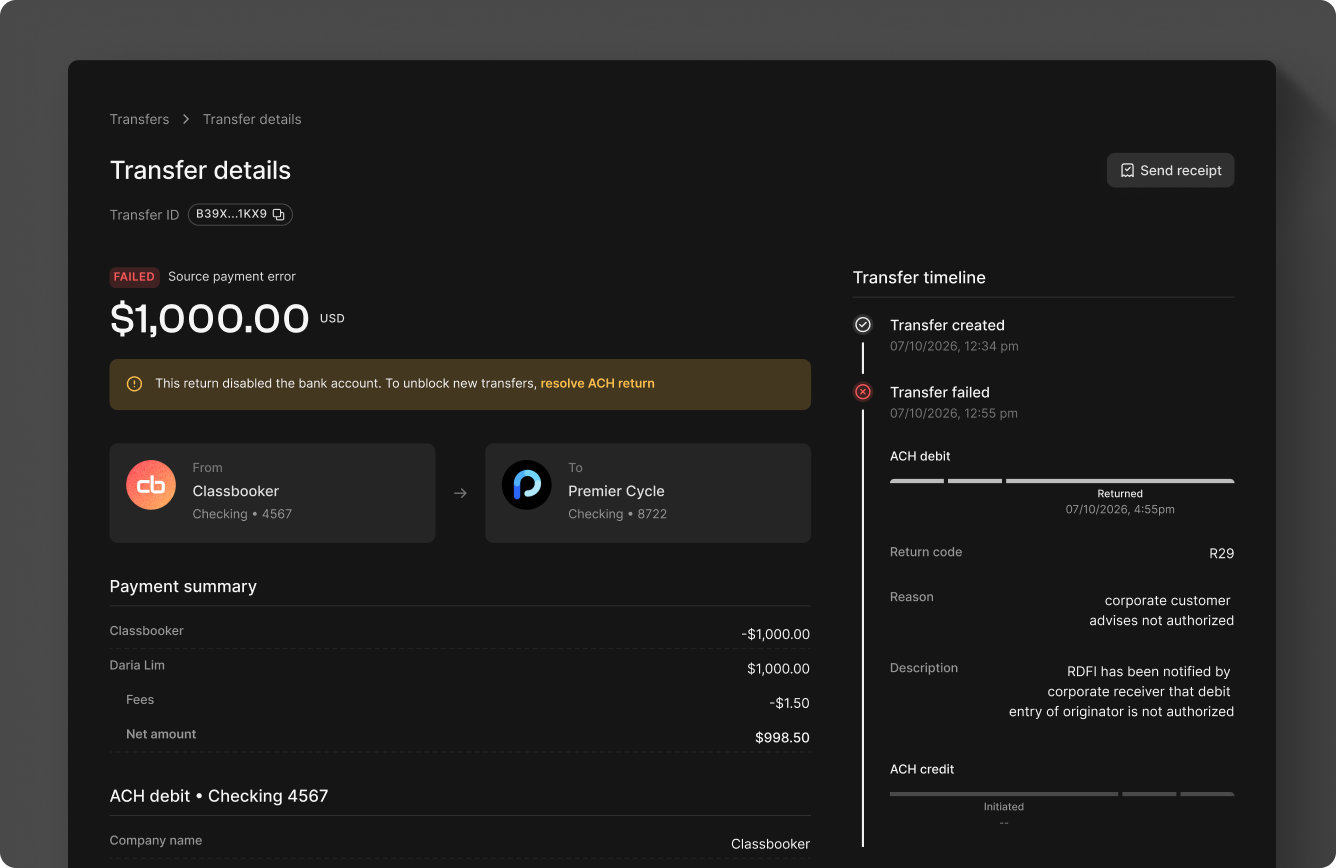
When an R29 return occurs, an Errored status appears on the bank account within the Account overview or Bank account details view, and a Failed source payment error appears within the Transfer details view. Click Resolve ACH return from any of these views to start the authorization attestation process.
To resolve the error and restore the account, confirm a new authorization by contacting the account holder. Provide the date the new authorization was obtained, a description (such as how the new authorization was obtained), and check the box confirming the account holder reauthorizes Moov to originate debits. You are responsible for retaining supporting evidence of the authorization attestation.
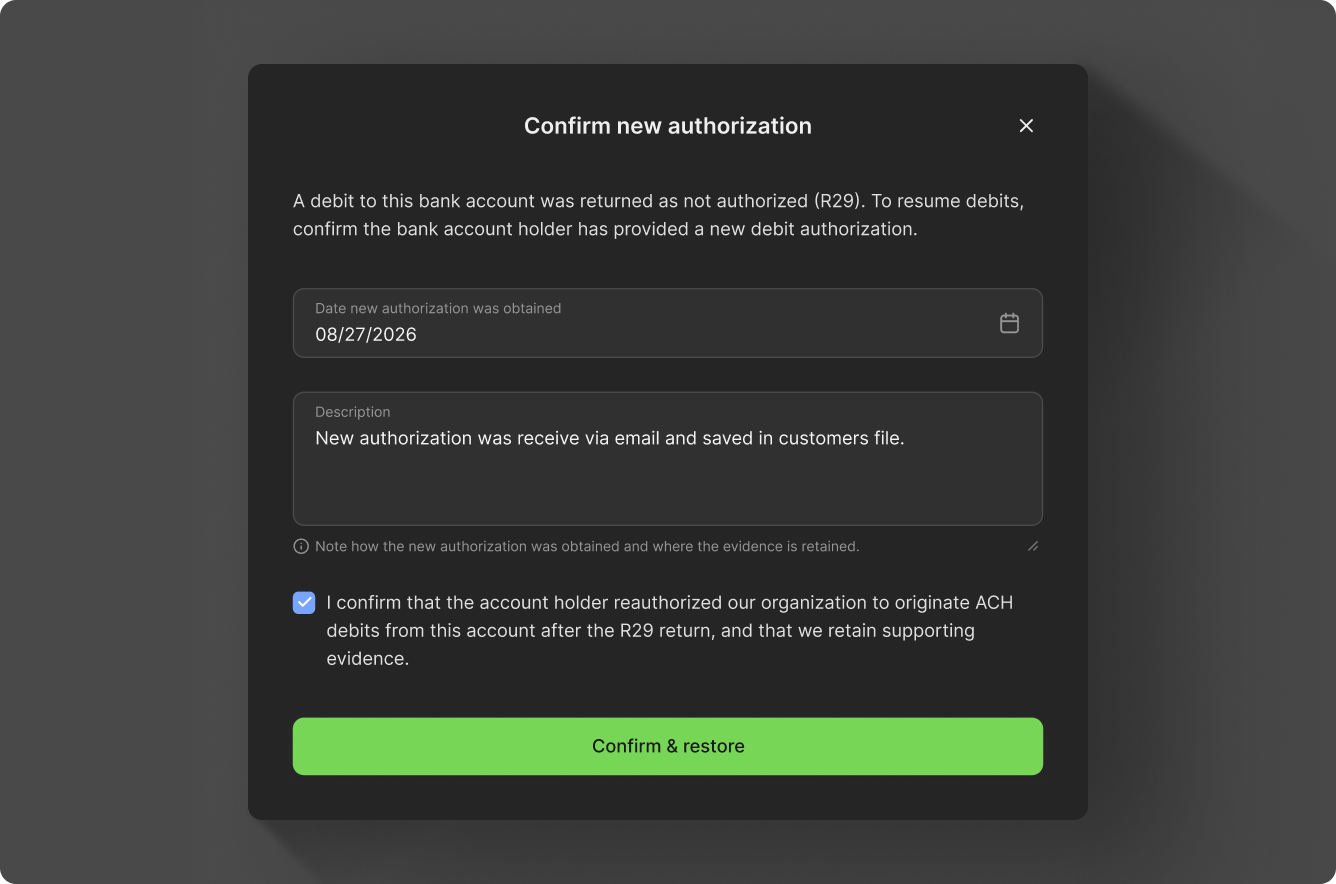
A successful authorization will show accounts as Verified and transfers as Completed.
Resolve with the API
The attestation endpoints are supported on Moov API v2026.10.00 and higher, so the examples below set that version header.
Get attestation
To view all authorization attestations associated with a bank account, use the get attestations endpoint.
curl -X GET "https://api.moov.io/accounts/{accountID}/bank-accounts/{bankAccountID}/attestations" \
  -H "Authorization: Bearer {token}" \
  -H "X-Moov-Version: v2026.10.00"
The response will include the details of all authorization attestations.
[
  {
    "attestationID": "string",
    "description": "string",
    "createdOn": "2026-05-15T14:30:00Z",
    "attestedAt": "2026-05-05"
  }
]
Get attestation eligibility
All Moov accounts can check eligibility, but only approved accounts can submit a new authorization attestation. You can check whether a bank account is currently eligible for a new authorization attestation with the eligibility endpoint.
The request takes an attestedAt query parameter (YYYY-MM-DD format), which represents the date to check eligibility against. If attestedAt is not provided, it defaults to the current date.
curl -X GET "https://api.moov.io/accounts/{accountID}/bank-accounts/{bankAccountID}/attestations-eligibility" \
  -H "Authorization: Bearer {token}" \
  -H "X-Moov-Version: v2026.10.00"
The response will identify if the account is enabled for authorization attestation and if it's currently eligible to receive a new authorization attestation.
{
  "enabled": true,
  "eligible": true
}
Submit attestation
If the account is enabled and eligible, a new authorization attestation can be submitted with the submit attestation endpoint.
You must submit an attestation with the date the authorization was obtained and a brief description of how the authorization was obtained. If the attestation is accepted, the bank account transitions from errored to verified.
curl -X POST "https://api.moov.io/accounts/{accountID}/bank-accounts/{bankAccountID}/attestations" \
  -H "Authorization: Bearer {token}" \
  -H "X-Moov-Version: v2026.10.00" \
  -d '{
    "attestedAt": "2026-05-15",
    "description": "string"
}'
You can check the bank account's status with the retrieve a bank account endpoint. The response will include the bank account's status.
 1{
 2  "bankAccountID": "833fa3ef-14d3-4c97-ba45-6af66f739832",
 3  "bankAccountType": "checking",
 4  "bankName": "Big Bank",
 5  "fingerprint": "dd4cbfe5fbaf47b392770b5b595bec604fd99394749b7d017153e2b9cfbea40e",
 6  "holderName": "John Doe",
 7  "holderType": "individual",
 8  "lastFourAccountNumber": "6789",
 9  "routingNumber": "123456780",
10  "status": "verified",
11  "statusReason": "bank-account-created",
12  "updatedOn": "2026-12-31T22:37:06Z"
13}