Self-serve ACH return (R29 error)
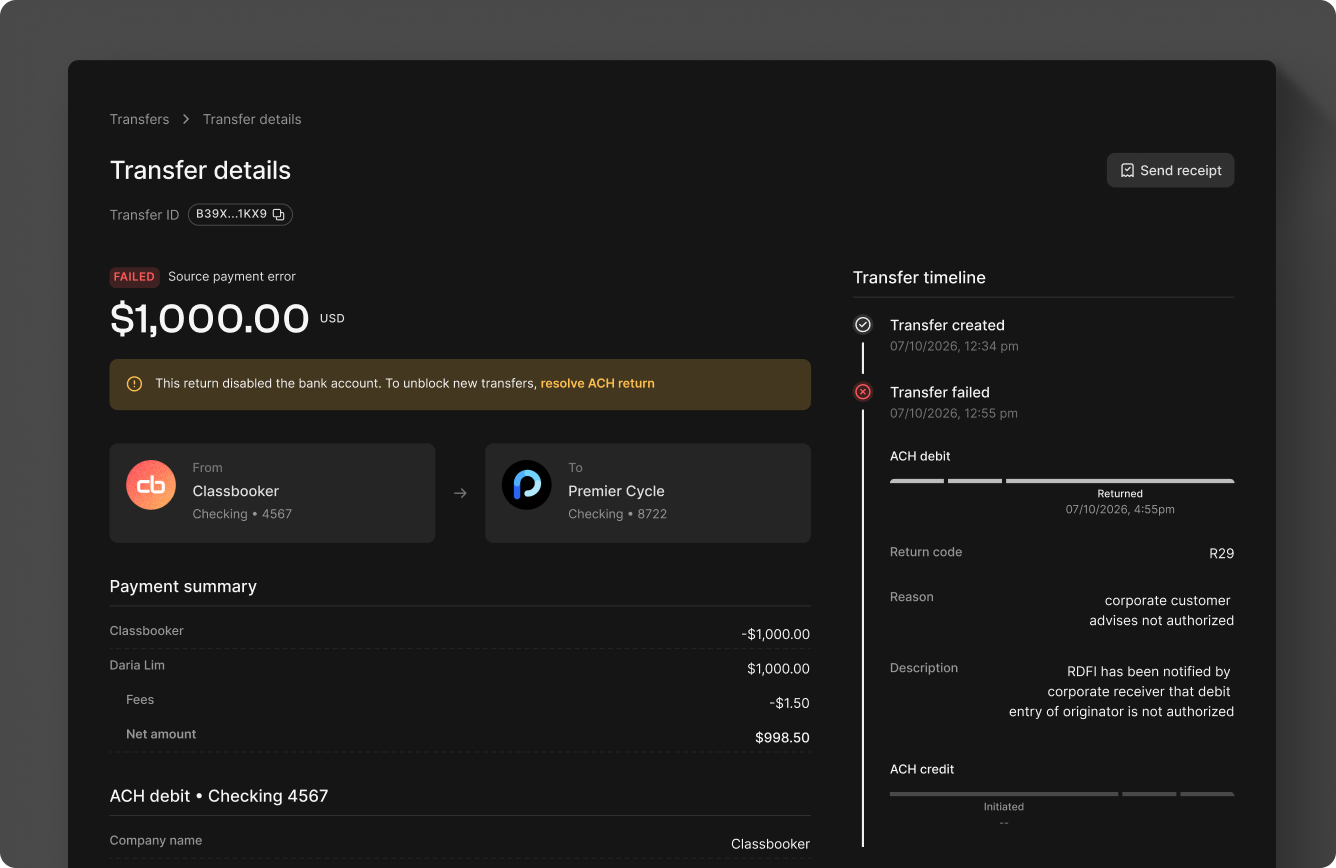
An ACH return error (R29) may occur if a bank account fails verification or if a debit attempt fails. In these scenarios, an Errored status will appear on a bank account within the Account overview or Bank account details view, and a Failed source payment error will appear within the Transfer details view.
Approved accounts can attempt to resolve the error through a reset, attesting the end user has reauthorized debits.
Resolve account error
If an ACH return error occurs, you will see alerts on the following Dashboard views:
Click Resolve ACH return to start the authorization attestation process.
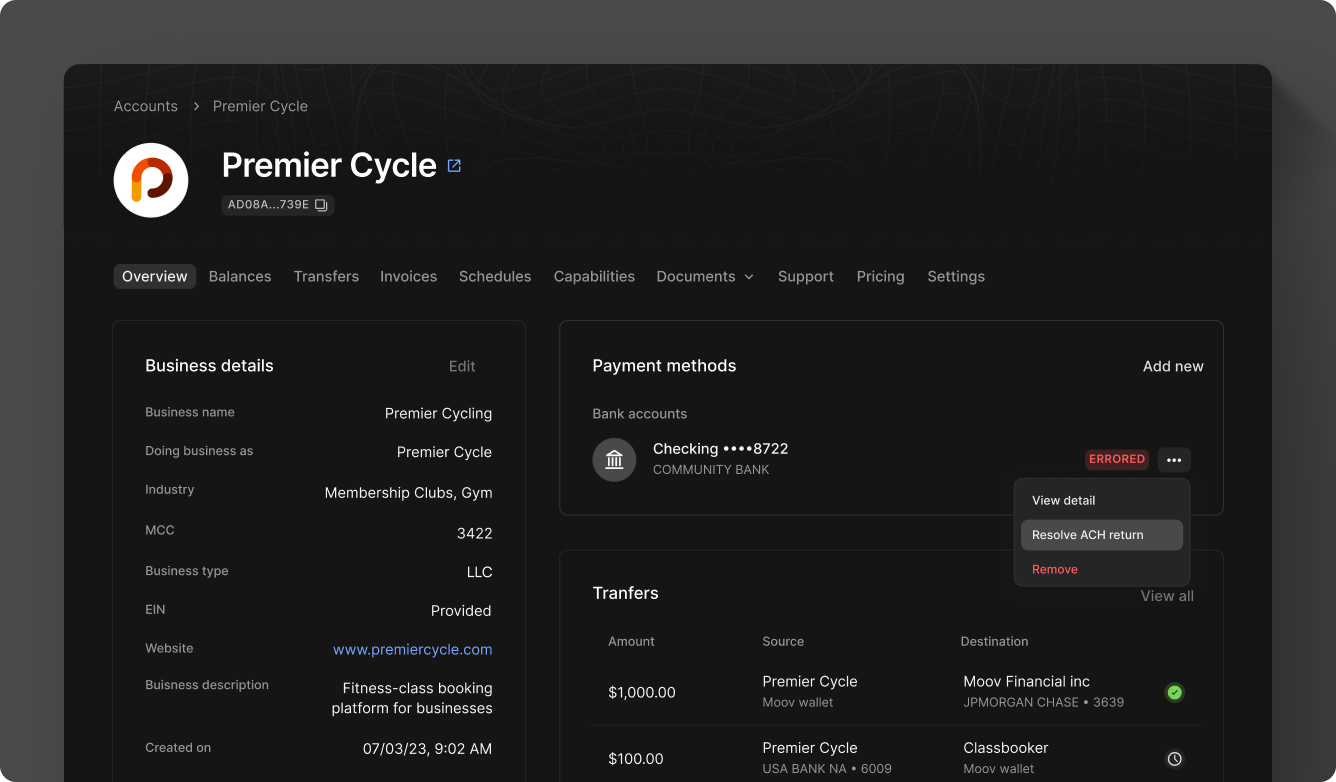
Click Resolve ACH return to start the authorization attestation process.
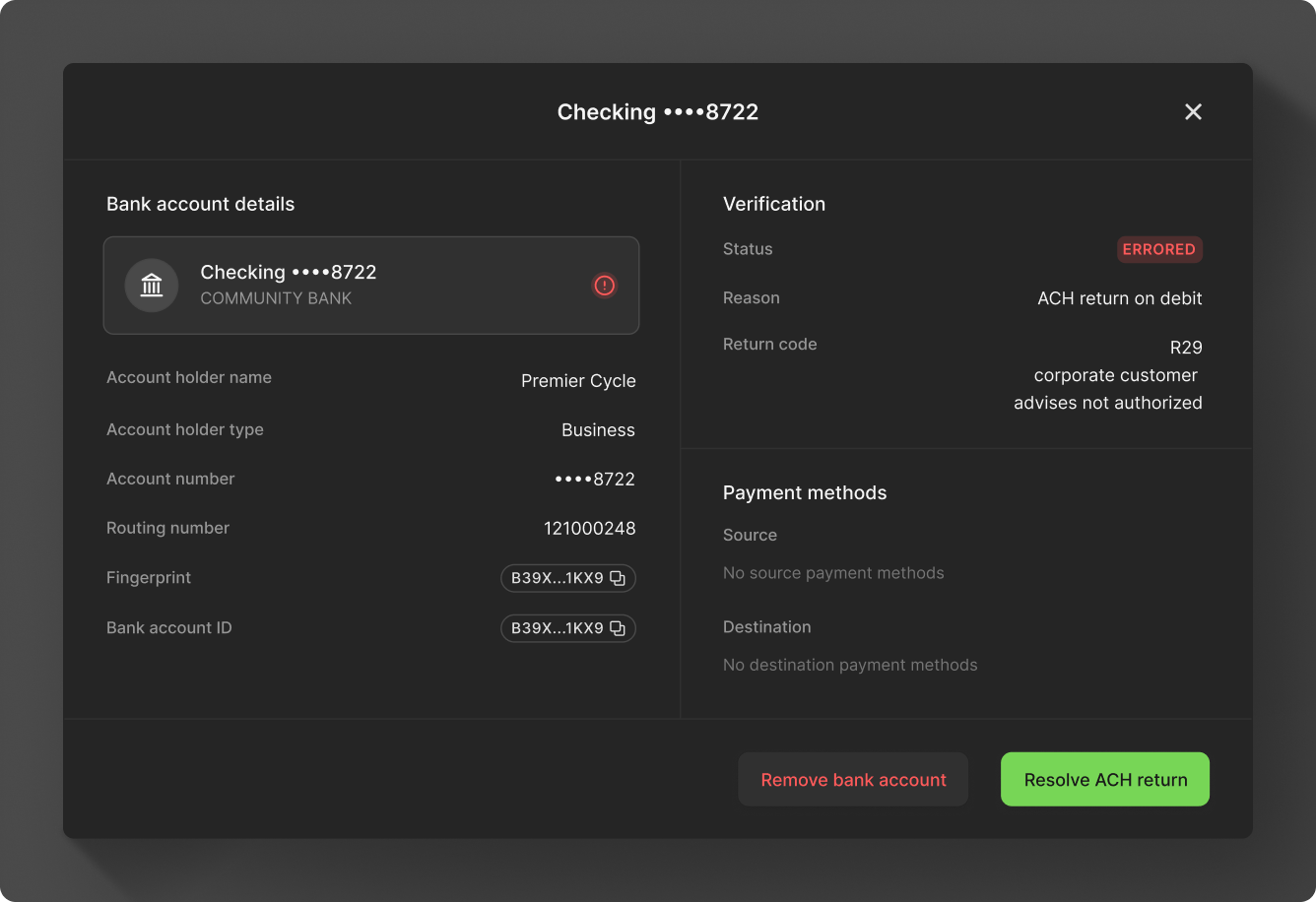
Click resolve ACH return to start the authorization attestation process.
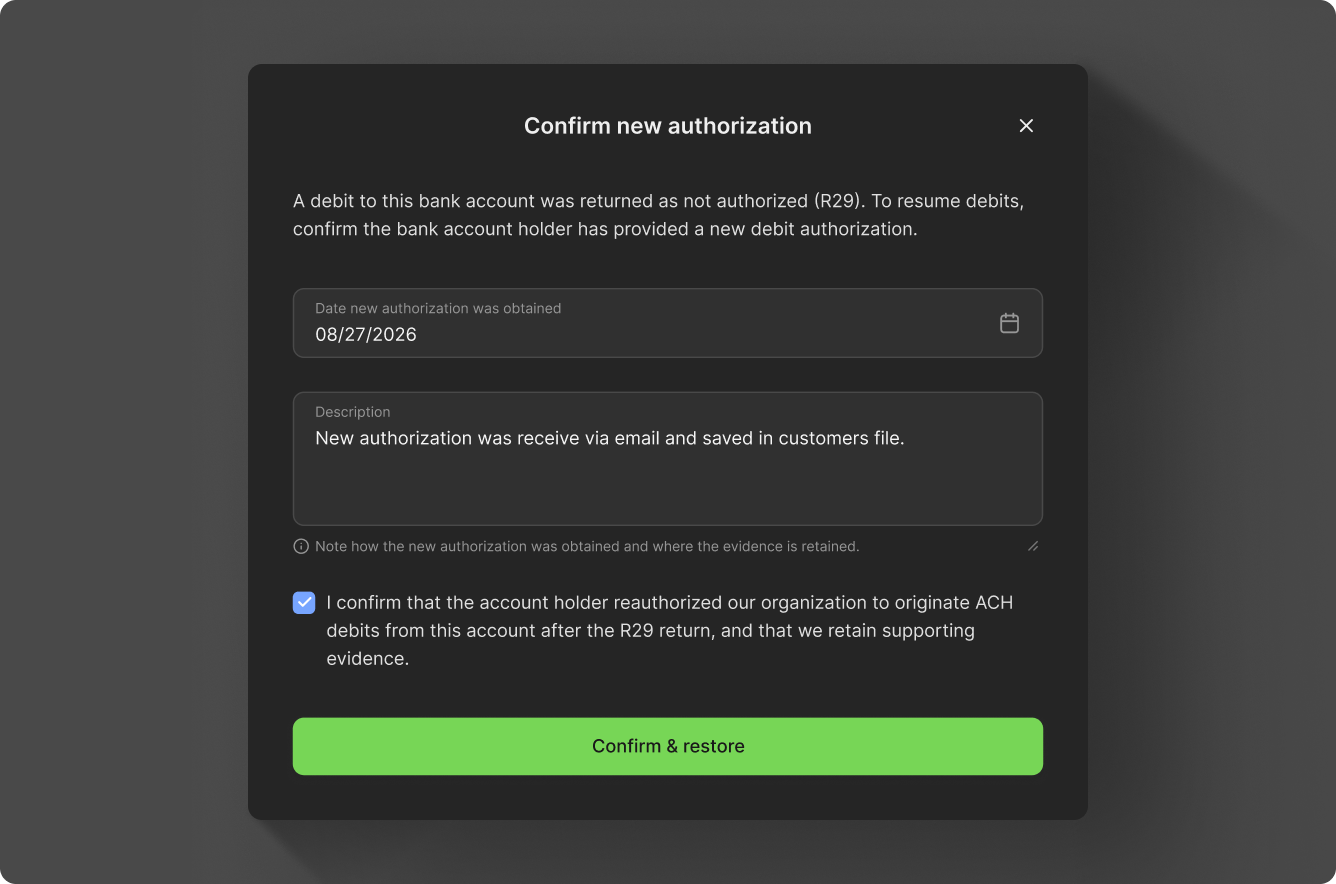
To resolve the error and restore the account, you will need to confirm a new authorization by contacting the account holder. Provide the date the new authorization was obtained, a description (such as how the new authorization was obtained), and check the box confirming the account holder reauthorizes Moov to originate debits.
You are responsible for retaining supporting evidence of the authorization attestation.
A successful authorization will show accounts as Verified and transfers as Completed.